Mobile App, UI UX Design, Development
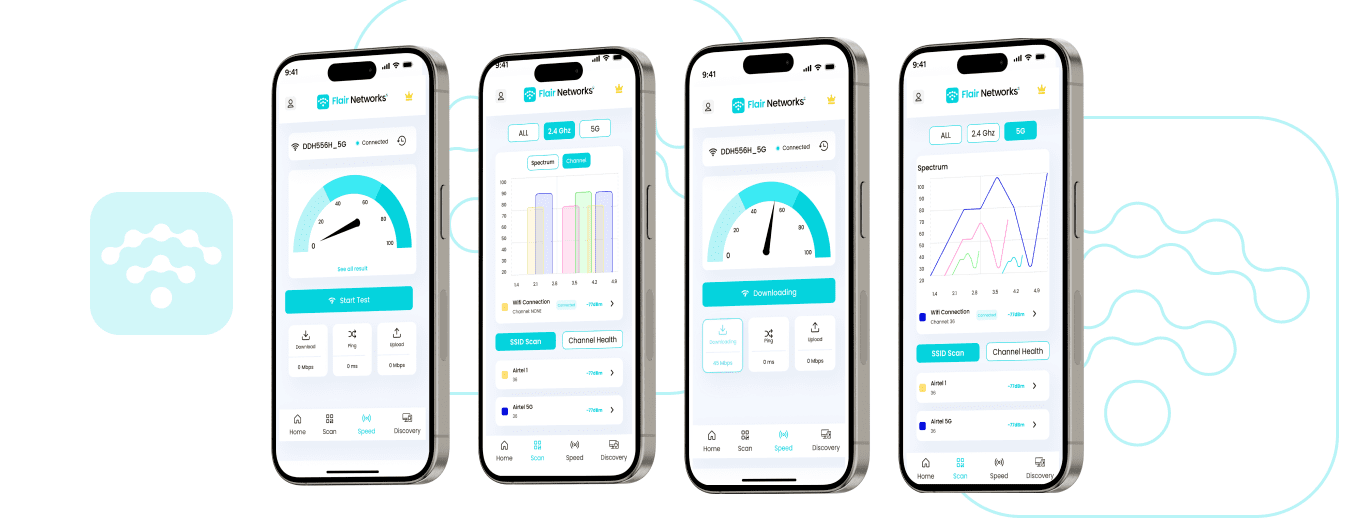

Our client, a leading technology company, specializes in developing innovative solutions for network management and optimization. With a diverse portfolio of products, they aim to provide their customers with tools to enhance network performance and reliability. Their latest project (WIFI Testing APP) focuses on creating a WiFi testing app designed to help users analyze their network's performance, detect interference, and optimize signal strength. By addressing common connectivity issues, they seek to empower users with actionable insights to improve their WiFi experience, ensuring seamless internet access for both personal and professional use.

The client faced significant challenges in developing an effective WiFi testing app. They needed to create a user-friendly interface that could provide detailed network diagnostics without overwhelming users. Ensuring accurate and real-time data on signal strength, interference, and connectivity issues was crucial. Additionally, the app had to be compatible with various devices and operating systems, posing a technical challenge. The client also wanted the app to offer optimization suggestions, making it essential to integrate advanced algorithms and data analysis techniques while maintaining a smooth and responsive user experience.
To address these challenges, we designed a comprehensive WiFi testing app that balances functionality with ease of use. Our solution features an intuitive interface that guides users through the testing process, providing clear visualizations of network performance. We incorporated advanced algorithms to analyze signal strength, detect interference, and identify connectivity issues in real-time. The app also offers actionable optimization suggestions, helping users enhance their network's performance. Compatibility across multiple devices and operating systems was ensured through rigorous testing and development, resulting in a robust and reliable tool for network management.

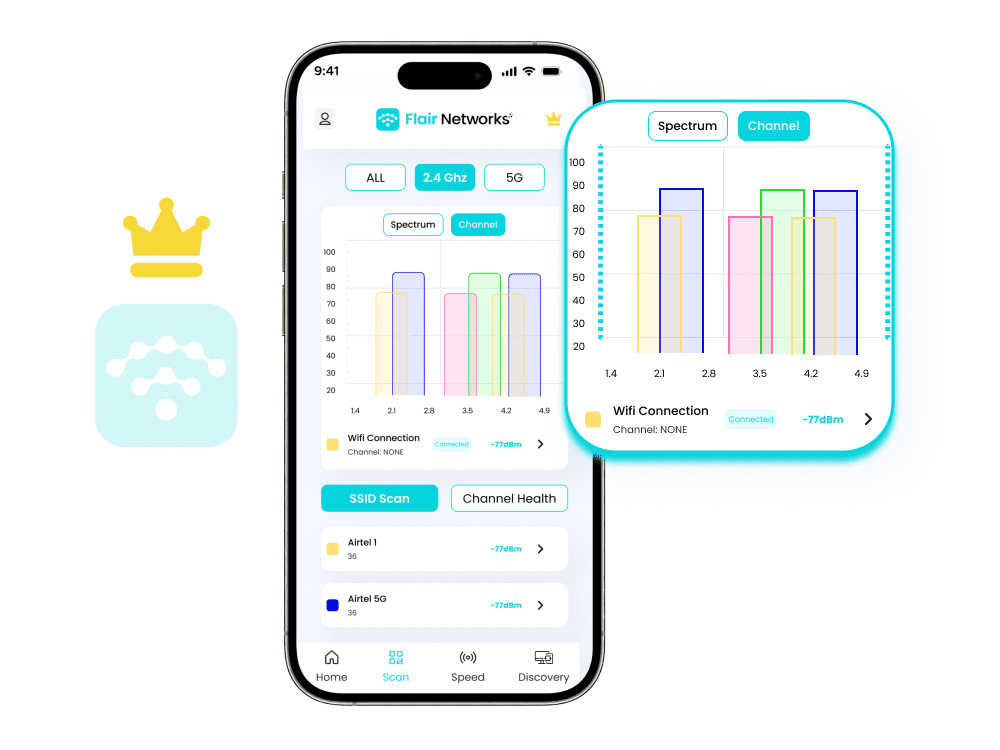
Easily identify interference and optimize your WiFi signal with our intuitive interface. Our WIFI Testing APP provides real-time data on spectrum and channel performance, allowing you to pinpoint weak spots and enhance your network’s reliability. With clear visualizations and actionable insights, you can ensure a seamless internet connection for all your devices. Whether you’re at home or in the office, our WiFi testing app helps you achieve the best possible network performance.
The Speed Test feature allows users to measure and monitor the performance of their internet connection directly within the application. By conducting a series of tests, this feature provides real-time metrics on download speed, upload speed, and ping latency. Users can view the results in a user-friendly format, including graphical representations of their connection speed over time. The feature is useful for diagnosing network issues, comparing performance across different networks, and ensuring optimal connection speeds for various online activities.
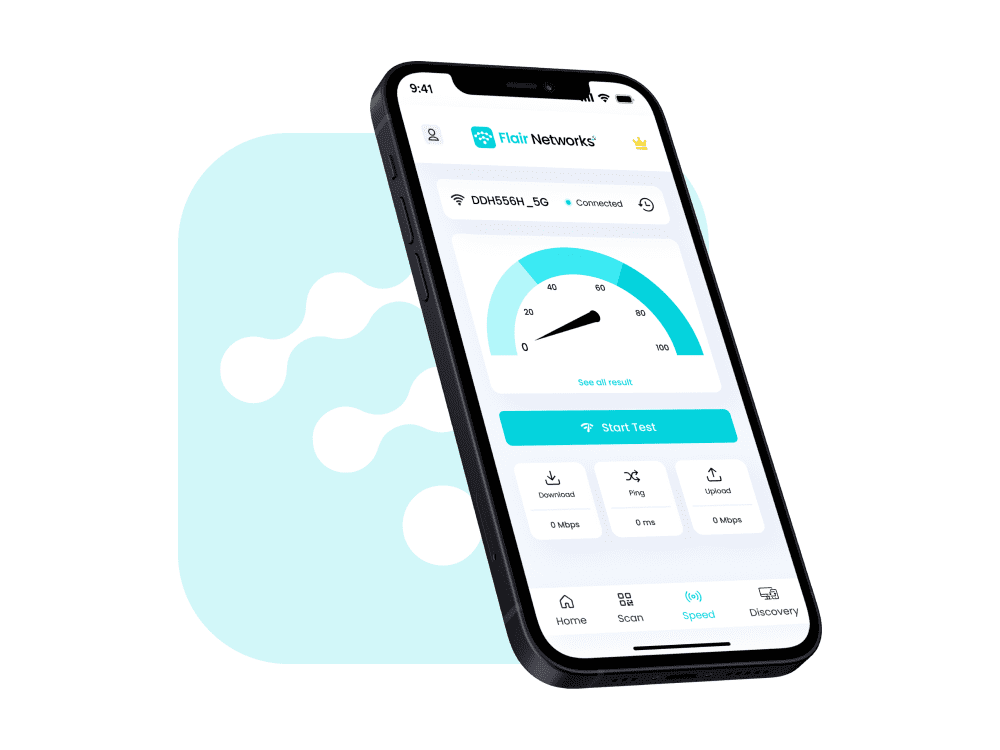

Assess the performance of your internet connection with our Speed Test feature. Measure download and upload speeds, as well as latency, to ensure you’re getting the optimal performance from your network. using our WIFI Testing APP Quickly identify any issues with your connection and take the necessary steps to improve your browsing experience.

Monitor and evaluate the responsiveness of your internet connection with our Latency Checker. This tool measures the time it takes for data to travel from your device to a server and back, providing insights into network delays. Use it to diagnose potential issues affecting your online activities and ensure a smoother and more efficient browsing experience.

Evaluate the speed of your connected Wi-Fi network with our Wi-Fi Speed Checker. This tool tests the performance of your wireless connection, including download and upload speeds, to help you gauge the quality of your network. Identify any slowdowns or connectivity issues, and optimize your Wi-Fi setup for a better internet experience.

Scan and identify devices in your vicinity with our Nearby Devices Discovery feature. This tool allows you to detect and view devices connected to the same network or within your proximity, helping you manage connections, troubleshoot issues, and ensure your network’s security

Access detailed information about your current Wi-Fi connection with our Get Wi-Fi Information feature. Retrieve essential data such as network name (SSID), signal strength, connection type, and IP address.

Perform a multicast DNS (mDNS) scan to discover devices and services on your local network. This feature identifies devices by their service names and provides details about available services, enabling easy network management and troubleshooting.